
KAYAK: Flights, Hotels & Cars
KAYAK.comTravel & Local
4.838.61K Reviews
- Version
- 267.2
- Installs
- 10.00M
- Age Rating
- Everyone
Screenshots
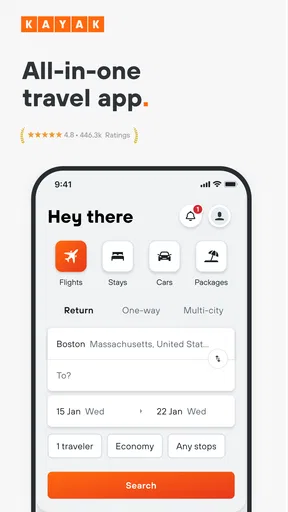
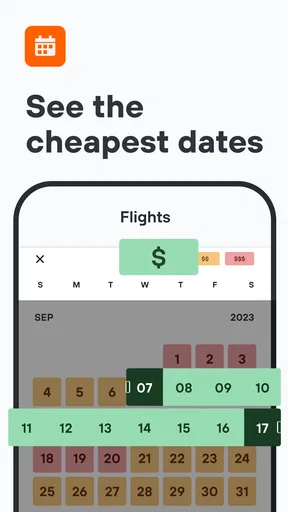
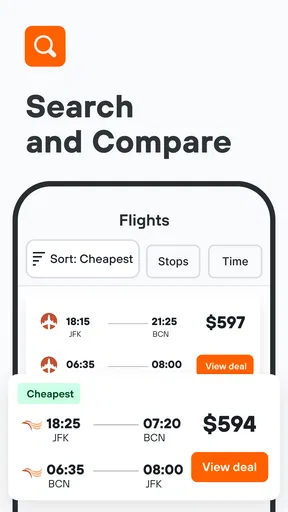

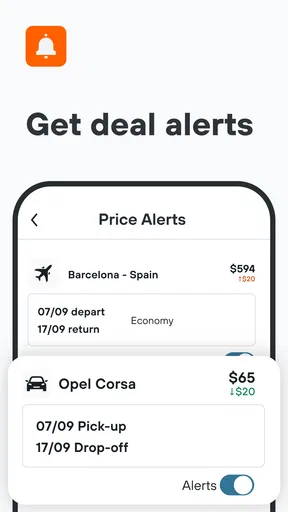
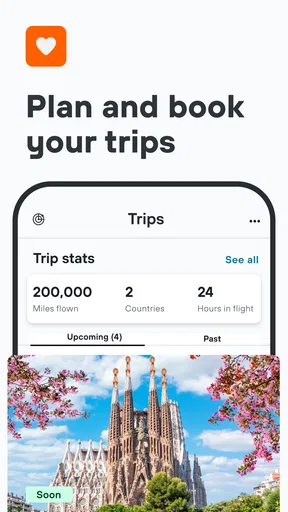

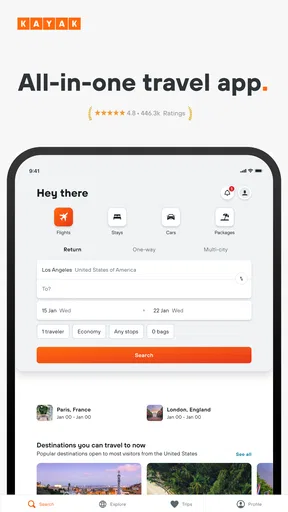
Our Review of KAYAK: Flights, Hotels & Cars
 Analysis by Appyee
When I plan a trip, I usually want one place to answer three practical questions: what can I book, how much will it cost, and which option is actually worth my time? KAYAK: Flights, Hotels & Cars is built around that exact decision process. It is a free Travel & Local app from KAYAK.com that brings flight, hotel, and car-rental searches into one mobile workspace. After using it, I see it less as a complete travel concierge and more as a strong comparison tool that helps me narrow a messy search before I commit.
That distinction matters. The app is most useful when I am still deciding between dates, airports, hotel areas, or transport options. It is not automatically the best place for every final purchase, especially when I already know which airline, hotel chain, or rental company I want to use directly. My recommendation depends on how open you are to comparing alternatives rather than simply repeating a familiar booking routine.
How I decide whether KAYAK is the right travel companion
I judge a travel app by what happens before booking, not just by whether it displays attractive prices. A useful comparison tool should make it easy to change the search, understand the trade-offs, and move from a broad idea to a realistic itinerary without losing track of the original plan. KAYAK does this well because flights, hotels, and cars can be considered together instead of being treated as completely separate errands.
The app is especially appealing for flexible travelers. If I know I want to visit a city but have some freedom around departure dates, nearby airports, hotel neighborhoods, or vehicle type, a comparison-first app can reveal possibilities that a direct airline or hotel app may never show me. The value is not simply finding the cheapest number on screen. It is seeing how a small change in the plan affects the whole trip.
For example, I might begin with a flight search and notice that an alternative airport changes the arrival time or total cost. That can lead me to reconsider the hotel area or whether I need a rental car at all. This kind of chain reaction is where KAYAK makes sense. It encourages me to evaluate the trip as a connected set of choices rather than buying each part in isolation.
The app is free, and its Everyone content rating makes it approachable for a broad audience. Its current version is 262.2 and it runs on operating systems from version 9 onward, so compatibility should be comfortable for many Android and iOS users with reasonably maintained devices. KAYAK.com is the developer, and the app has built substantial public trust, with a 4.8 average from around 425 thousand ratings and over 10 million installs.
The strongest workflow: search broadly, then verify narrowly
My preferred way to use KAYAK is not to search once and immediately book. I start broad, record the options that look realistic, and then inspect the details before making a final decision. This prevents the common mistake of treating the first low fare as the best fare.
For flights, I compare the total journey rather than focusing only on departure and arrival prices. A cheaper option may involve an inconvenient connection, an airport change, or a schedule that creates extra transport costs at the destination. KAYAK is valuable here because it puts multiple possibilities in front of me quickly, but the judgment still belongs to me. I need to read the itinerary carefully and consider whether the saving is worth the added friction.
For hotels, I use the search as a location and budget filter before I become attached to a particular room. A property that looks inexpensive may be less attractive once I consider the neighborhood, distance from my actual plans, or the time required to reach public transport. The app helps me build a shortlist, but I would still inspect the final booking conditions before paying.
Car rental searches require a similar habit. A low daily figure can be misleading if the vehicle is at an inconvenient pickup location or does not suit the route. I use the app to compare availability and broad cost, then check the terms presented by the booking provider. The useful insight is that KAYAK can help me decide whether renting a car belongs in the itinerary at all, not merely which car appears cheapest.
Three practical tactics that make the app more useful
First, search the whole trip before optimizing one segment. If I book a flight immediately and only later investigate hotels and cars, I may discover that the supposedly cheap arrival time forces expensive transfers or an extra night. Starting with a rough view of all three categories gives me a better sense of the trip’s shape. I can then return to the flight search with a clearer idea of what timing really works.
Second, treat nearby airports and areas as trade-offs, not automatic bargains. A different airport or hotel district can lower the displayed price, but the saving may disappear through longer ground travel, less convenient arrival times, or a weaker base for sightseeing. I use KAYAK to surface these alternatives, then compare them against the practical cost of getting around. This is one of the app’s most useful roles: it expands the decision without pretending every option is equally convenient.
Third, keep a personal “acceptable option” line before searching. I decide in advance what matters most: a nonstop flight, a central hotel, a certain pickup location, or a manageable arrival hour. Without that line, comparison apps can turn into endless scrolling. KAYAK gives me many possibilities, but it works better when I use clear filters of my own. Otherwise, I may spend more time chasing small savings than the savings are worth.
A fourth tactic is to repeat the search after changing only one variable. I might keep the destination and hotel standard fixed while testing a different date, then keep the date fixed while testing an airport. This makes the effect of each change easier to understand. It is more reliable than changing everything at once and assuming the cheapest result represents a single improvement.
Where KAYAK wins, where another approach fits, and what switching really costs
I find KAYAK most useful when I’m still shaping a trip rather than simply repeating a booking routine. This section weighs the value of its broad comparisons against the focus of direct provider apps, and considers the real cost of switching: more choice, but also more checking. For trips that are already settled, a narrower tool may be easier; when plans are flexible, the comparison can earn its place.
Why I prefer it for comparison-heavy trips
KAYAK’s main strength is breadth. Instead of opening a separate airline app, hotel app, and car-rental app before I even know what I want, I can begin with a single travel-focused interface. That reduces the early research burden and makes it easier to compare categories that influence one another.
This is particularly helpful for multi-stop planning, short breaks with limited time, and trips where the destination is fixed but the dates are negotiable. It also suits travelers who do not have strong loyalty to one provider. If I am willing to consider several airlines, hotel groups, or rental companies, the comparison stage can save me from making a decision based on habit.
I also like that the app supports a more realistic form of budgeting. Rather than asking only, “What is the lowest flight price?”, I can ask, “Which combination gives me a workable trip?” A slightly different flight may make a hotel night unnecessary. A central hotel may reduce the need for a car. A car may make a cheaper out-of-town hotel practical. KAYAK does not make those decisions for me, but it gives me a useful starting point for making them myself.
The app’s scale is another reassuring signal, though not a substitute for personal checking. With around 39 thousand written reviews and a 4.8 average, it clearly has a large active audience. I would interpret that as evidence that the core search experience works for many people, not as a guarantee that every provider, route, or booking result will suit my circumstances.
Where direct provider apps can be better
If I already know that I want a particular airline or hotel chain, I may prefer its own app for the final stage. A direct provider can offer a more focused account area, a familiar loyalty experience, or clearer access to reservations made within that brand’s ecosystem. KAYAK is strongest when I am comparing, not when comparison has already ended.
Direct booking can also feel simpler when a trip changes. I would rather manage a complicated airline disruption in the airline’s own system than search through several places trying to understand who handles the next step. The same logic applies to hotel changes or rental questions. A comparison app can lead me to an option, but the practical support path may depend on the provider that ultimately receives the booking.
Traditional travel agencies or human advisers may fit better for travelers with unusual requirements, complex group arrangements, or little interest in researching alternatives. KAYAK rewards active decision-making. Someone who wants an expert to assemble the trip and explain the consequences may find a comparison interface less comfortable, even if it offers plenty of choice.
Dedicated hotel, airline, or car apps may also be preferable when one category dominates the trip. If I am taking a flight-only journey and care deeply about seat selection, airline-specific rules, or managing an existing reservation, a focused airline app is likely the more natural tool. KAYAK remains useful for discovery, but it does not need to be the only app I use.
The friction of moving from comparison to booking
The biggest practical limitation is the handoff. A comparison result is not the same thing as a completed, fully understood reservation. I need to pay attention to where the booking takes me, what is included, and which company will handle changes or support. That extra checking is not unique to KAYAK, but it is important because the app’s convenience can make the process feel more finished than it really is.
I also have to resist price tunnel vision. Travel results can look precise while still leaving important questions for the final step. I check the itinerary, room conditions, pickup details, and cancellation information shown before confirming. If I skip that review, the app has helped me move quickly but not necessarily make a good decision.
There is also a cognitive cost to having so many options. Comparison is useful until every small variation starts to look equally important. I avoid that by choosing a few non-negotiables and a realistic budget before I search. Once an option meets those requirements, I compare only the details that could genuinely change my trip.
Switching from a direct provider’s app to KAYAK therefore has a clear cost: I gain a wider view, but I take on more responsibility for comparing and verifying. Switching in the opposite direction has the reverse trade-off. I lose some breadth, but I may gain a simpler relationship with the provider I already trust. Neither approach is universally superior.
A realistic everyday scenario
Imagine I am planning a long weekend in a city I have not visited. I have a rough travel window, but no fixed airline, hotel, or vehicle. I begin in KAYAK by checking flights, then look at hotels in areas that make sense for my activities. If the best flight arrives late, I reconsider whether a central hotel or a nearby airport hotel makes more sense. If the neighborhoods are well connected, I may skip the car. If I decide to stay outside the center, I test whether a rental changes the overall balance.
That workflow is more useful than separately choosing the cheapest item in each category. It exposes hidden trade-offs early, while I can still change the plan. Once I have a shortlist, I inspect the final conditions and decide whether to continue with the displayed booking path or use the information to book directly with a provider.
Who should use it and who should skip it
I would recommend KAYAK to travelers who compare prices, dates, airports, neighborhoods, and transport options before booking. It is a particularly good fit if you are flexible, planning independently, or trying to understand the total shape of a trip rather than buying a single ticket.
I would be more cautious about recommending it to someone who always books with one provider, values a single loyalty ecosystem above broad comparison, or dislikes checking booking details across different companies. It may also be unnecessary for a simple, familiar journey where the airline or hotel app already does everything the traveler needs.
For families or groups, I would use it as a research tool but slow down before payment. Small differences in schedules, room arrangements, vehicle suitability, and change rules can matter much more when several people are traveling. The app can narrow the field, but I would not let a group booking proceed on the strength of a headline price alone.
My final recommendation
KAYAK is a strong first stop for independent trip planning, especially when comparison is the point. I like it because it brings flights, hotels, and cars into one decision process and helps me notice alternatives before I commit. Its free access, broad device compatibility, and established audience make it easy to try without much risk.
I would not treat it as a replacement for every direct provider app. After finding an attractive option, I still verify the itinerary, the booking conditions, and who will handle support. For a known airline or hotel, direct booking may be more convenient. For a flexible traveler who wants to explore combinations and avoid making the first available option the default, KAYAK is much more compelling.
My practical advice is to use it in two stages: explore widely, then confirm carefully. Set your priorities before searching, test one variable at a time, and judge the complete trip rather than one isolated price. Used that way, KAYAK: Flights, Hotels & Cars becomes more than a list of travel results. It becomes a useful decision aid, with enough flexibility to help you shape a trip before you spend money on it.
Privacy and Permissions
See what permissions an app requests and how it handles your data.
- Location
- approximate location (network-based), precise location (GPS and network-based)
- Photos/Media/Files
- read the contents of your USB storage, modify or delete the contents of your USB storage
- Storage
- read the contents of your USB storage, modify or delete the contents of your USB storage
- Camera
- take pictures and videos
- Microphone
- record audio
- Wi-Fi connection information
- view Wi-Fi connections
- Other
- view network connections, control flashlight, full network access, run at startup, control vibration, prevent device from sleeping, Google Play license check, read Google service configuration
Verdict
Strengths of KAYAK: Flights, Hotels & Cars
- Compares prices across airlines, hotels, and car rental providers.
- Flexible date and destination tools help uncover cheaper travel options.
- Price alerts notify you when selected flights or hotels change in cost.
- Trip organization keeps bookings and travel details in one place.
- Useful filters make it easy to narrow results by budget and preferences.
Limitations of KAYAK: Flights, Hotels & Cars
- Some deals redirect you to third-party sites to complete the booking.
- Displayed prices may change before checkout due to availability updates.
- Additional fees and baggage costs are not always included in the first price.
- The app can send frequent promotional notifications unless settings are adjusted.
- Hotel and rental car policies vary widely, requiring careful review before booking.
Similar Picks in This Category
View All
Google Maps
Google LLC3.4

Google Maps Go
Google LLC4.1

Booking.com: Hotels & Travel
Booking.com Hotels & Vacation Rentals4.8

Google Earth
Google LLC3.8

Skyscanner Flights Hotels Cars
Skyscanner Ltd4.8

trivago: Compare hotel prices
trivago N.V.4.4
Frequently Asked Questions
What is KAYAK: Flights, Hotels & Cars used for?
KAYAK is a travel search and comparison app that helps you find flights, hotels, rental cars, and vacation options in one place. It searches offers from airlines, hotel providers, car-rental companies, and online travel agencies, allowing you to compare prices, schedules, locations, and booking conditions before choosing where to complete your reservation.
Can I book flights, hotels, and rental cars directly through KAYAK?
KAYAK generally works as a travel search engine rather than the final booking provider. After selecting an offer, the app usually redirects you to the airline, hotel, rental company, or travel agency website to complete payment and reservation. Because of this, cancellation rules, customer support, payment methods, and booking changes are normally handled by the selected provider.
Does KAYAK always show the cheapest travel price?
KAYAK compares a wide range of available offers, which can make it easier to identify competitive prices, but the displayed result is not guaranteed to be the absolute cheapest option everywhere. Prices and availability can change quickly, and taxes, baggage, resort fees, insurance, seat selection, or payment charges may be added later. Always review the final price and conditions before booking.
What features does KAYAK offer besides searching for travel deals?
Along with flight, hotel, and car-rental searches, KAYAK provides tools that can make trip planning easier. Depending on your destination and booking, you may find price alerts, flexible-date searches, fare comparison filters, itinerary organization, flight status information, and travel-management features. These tools are useful for monitoring costs and keeping reservations together, although availability can vary by region.
Is KAYAK safe to use, and what should I check before downloading or booking?
KAYAK is a well-known travel comparison platform, but users should still verify every booking carefully. Download the official app from Google Play or the Apple App Store, check the provider’s name before paying, and read cancellation, refund, baggage, hotel, and rental-car policies. KAYAK may direct you to third-party companies, so their terms and support procedures are especially important.
